Next.js 15 App Router Internationalization with URL-Based Routing
Building a truly bilingual website requires more than just translating text. Users expect URLs to reflect their language preference, maintain consistency acr…
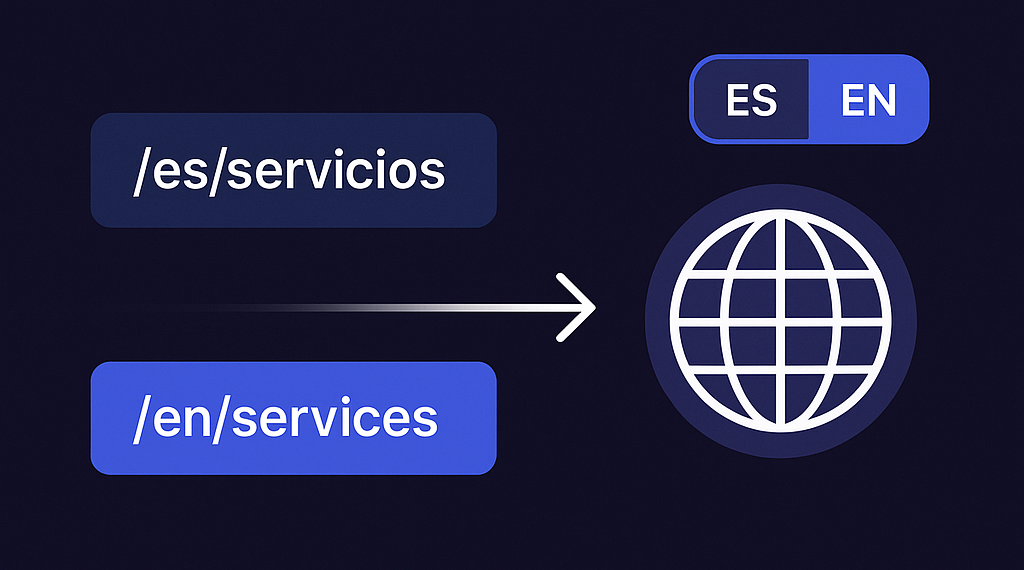
Building a truly bilingual website requires more than just translating text. Users expect URLs to reflect their language preference, maintain consistency across navigation, and provide a seamless experience. In this guide, I'll walk you through implementing a complete internationalization (i18n) solution for Next.js 15 using App Router.
What We'll Build
By the end of this tutorial, you'll have:
- URL-based language routing: /es/servicios vs /en/services
- Persistent language selection: Language choice survives navigation
- No page reloads: Smooth language switching
- Centralized route management: Single source of truth for translations
- SEO-friendly URLs: Different URLs for different languages
The Challenge with App Router
Next.js 15's App Router doesn't support the traditional i18n config from Pages Router. The old approach looked like this:
// ❌ This doesn't work in App Router
const nextConfig = {
  i18n: {
    locales: ["es", "en"],
    defaultLocale: "es",
  },
};
Instead, we need to build our own solution using middleware and dynamic routes.
Step 1: Project Structure Setup
First, restructure your project to support locale-based routing, we need to create duplicate route folders in each language desired, here I do english and spanish. The main page.tsx and layout.tsx files are also moved in the [locale] folder. Be careful, the middleware file goes at root level, not in the app/ folder:
your-project/
├── app/
│   ├── [locale]/          # Dynamic locale folder
│   │   ├── layout.tsx     # Layout for all localized pages
│   │   ├── page.tsx       # Homepage
│   │   ├── servicios/     # Spanish routes
│   │   ├── services/      # English routes
│   │   ├── contacto/      # Spanish contact
│   │   └── contact/       # English contact
│   └── globals.css        # Global styles
├── middleware.ts          # Route handling logic (ROOT LEVEL)
├── utils/
├── components/
├── next.config.ts
└── package.json
Step 2: Create Shared Route Configuration
I usually try to keep things organized and clean. So I create a centralized file for route translations to avoid code duplication:
// utils/routeTranslations.ts

export const routeTranslations = {
  es: {
    services: "servicios",
    contact: "contacto",
    "about-us": "sobre-nosotros",
    "use-cases": "casos-de-exito",
  },
  en: {
    servicios: "services",
    contacto: "contact",
    "sobre-nosotros": "about-us",
    "casos-de-exito": "use-cases",
  },
};

export const locales = ["es", "en"] as const;
export const defaultLocale = "es" as const;
export type Language = (typeof locales)[number];
Step 3: Implement Middleware for Route Handling
The middleware handles automatic locale detection and URL redirects:
// middleware.ts
import { NextResponse } from "next/server";
import type { NextRequest } from "next/server";
import { locales, defaultLocale } from "./utils/routeTranslations";

function getLocale(request: NextRequest): string {
  const pathname = request.nextUrl.pathname;
  const pathnameHasLocale = locales.some(
    (locale) => pathname.startsWith(`/${locale}/`) || pathname === `/${locale}`,
  );

  if (pathnameHasLocale) {
    return pathname.split("/")[1];
  }

  // Check browser language preference
  const acceptLanguage = request.headers.get("Accept-Language");
  if (acceptLanguage?.includes("en")) {
    return "en";
  }

  return defaultLocale;
}

export function middleware(request: NextRequest) {
  const pathname = request.nextUrl.pathname;

  // Check if pathname already has a locale
  const pathnameHasLocale = locales.some(
    (locale) => pathname.startsWith(`/${locale}/`) || pathname === `/${locale}`,
  );

  if (pathnameHasLocale) return;

  // Redirect if there is no locale
  const locale = getLocale(request);
  request.nextUrl.pathname = `/${locale}${pathname}`;

  return NextResponse.redirect(request.nextUrl);
}

export const config = {
  matcher: ["/((?!_next|api|favicon.ico|.*\\..*).*)"],
};
Step 4: Build the Translation Provider
Create a context provider that handles translations and URL routing:
// hooks/useTranslation.tsx

"use client";

import { createContext, useContext, useState, useEffect } from "react";
import { usePathname } from "next/navigation";
import {
  routeTranslations,
  defaultLocale,
  type Language,
} from "@/utils/routeTranslations";

interface TranslationContextType {
  t: (key: string) => string;
  language: Language;
  changeLanguage: (newLanguage: Language) => void;
  toggleLanguage: () => void;
}

const TranslationContext = createContext<TranslationContextType | undefined>(undefined);

export function TranslationProvider({ children }: { children: React.ReactNode }) {
  const pathname = usePathname();

  const [language, setLanguage] = useState<Language>(() => {
    // Try localStorage first, then URL, then default
    if (typeof window !== "undefined") {
      const saved = localStorage.getItem("preferred-language") as Language;
      if (saved && (saved === "es" || saved === "en")) {
        return saved;
      }
    }
    const currentLocale = pathname.split("/")[1] as Language;
    return currentLocale || defaultLocale;
  });

  const [translations, setTranslations] = useState<any>({});

  const loadTranslations = async (lang: Language) => {
    try {
      const response = await import(`@/locales/${lang}.json`);
      setTranslations(response.default);
    } catch (error) {
      console.error(`Failed to load translations for ${lang}:`, error);
    }
  };

  // Update language when URL changes
  useEffect(() => {
    const urlLocale = pathname.split("/")[1] as Language;
    if (urlLocale && (urlLocale === "es" || urlLocale === "en")) {
      if (urlLocale !== language) {
        setLanguage(urlLocale);
        if (typeof window !== "undefined") {
          localStorage.setItem("preferred-language", urlLocale);
        }
      }
    }
  }, [pathname, language]);

  useEffect(() => {
    loadTranslations(language);
  }, [language]);

  const t = (key: string): string => {
    const keys = key.split(".");
    let value: any = translations;

    for (const k of keys) {
      if (value && typeof value === "object" && k in value) {
        value = value[k];
      } else {
        return key;
      }
    }

    return typeof value === "string" ? value : key;
  };

  const translateRoute = (currentPath: string, targetLang: Language): string => {
    const pathWithoutLocale = currentPath.replace(/^\/[a-z]{2}/, "") || "/";
    const segments = pathWithoutLocale.split("/").filter(Boolean);

    if (segments.length === 0) {
      return `/${targetLang}`;
    }

    const mainRoute = segments[0];
    const translations = routeTranslations[targetLang];
    const translatedRoute =
      translations[mainRoute as keyof typeof translations] || mainRoute;

    const remainingSegments = segments.slice(1);
    const newPath = `/${targetLang}/${translatedRoute}${remainingSegments.length > 0 ? "/" + remainingSegments.join("/") : ""}`;

    return newPath;
  };

  const changeLanguage = async (newLanguage: Language) => {
    const newPath = translateRoute(pathname, newLanguage);
    // Use history API to avoid page reload
    window.history.replaceState({}, "", newPath);
    setLanguage(newLanguage);

    if (typeof window !== "undefined") {
      localStorage.setItem("preferred-language", newLanguage);
    }
  };

  const toggleLanguage = async () => {
    const newLang = language === "es" ? "en" : "es";
    changeLanguage(newLang);
  };

  return (
    <TranslationContext.Provider value={{ t, language, changeLanguage, toggleLanguage }}>
      {children}
    </TranslationContext.Provider>
  );
}

export function useTranslation() {
  const context = useContext(TranslationContext);
  if (!context) {
    throw new Error("useTranslation must be used within a TranslationProvider");
  }
  return context;
}
Step 5: Create Navigation Helpers
Build helpers to generate localized URLs for navigation:
// utils/navigation.ts
import { routeTranslations, type Language } from "./routeTranslations";

export function getLocalizedRoute(route: string, language: Language): string {
  if (!route || route === "") {
    return `/${language}`;
  }

  const translations = routeTranslations[language];
  const translatedRoute = translations[route as keyof typeof translations] || route;

  return `/${language}/${translatedRoute}`;
}
Step 6: Update Navigation Data Structure
Modify your navigation data to work with dynamic languages. If you aren't using a separate data file you can also do that directly in your navbar component for example. Here I choose once again to separate my data for a cleaner code:
// data/menu.ts
import { getLocalizedRoute } from "@/utils/navigation";
import type { Language } from "@/utils/routeTranslations";

export interface MenuItem {
  route: string; // Base route without language prefix
  labelKey: string;
}

export const navigationItems: MenuItem[] = [
  { route: "", labelKey: "nav.home" },
  { route: "sobre-nosotros", labelKey: "nav.about" },
  { route: "servicios", labelKey: "nav.services" },
  { route: "casos-de-exito", labelKey: "nav.cases" },
  { route: "contacto", labelKey: "nav.contact" },
];

export function getLocalizedNavigationItems(
  language: Language,
): Array<MenuItem & { href: string }> {
  return navigationItems.map((item) => ({
    ...item,
    href: getLocalizedRoute(item.route, language),
  }));
}
Step 7: Update Layout for Locale Support
Create the layout that receives the locale parameter and wrap it all with your <TranslationProvider> :
// app/[locale]/layout.tsx
import type { Metadata } from "next";
import "../globals.css";
import { TranslationProvider } from "@/hooks/useTranslation";
import Navbar from "@/components/layout/Navbar";
import Footer from "@/components/layout/Footer";

export default function LocaleLayout({
  children,
  params,
}: {
  children: React.ReactNode;
  params: { locale: string };
}) {
  return (
    <html lang={params.locale}>
      <body className="antialiased">
        <TranslationProvider>
          <Navbar />
          {children}
          <Footer />
        </TranslationProvider>
      </body>
    </html>
  );
}
Step 8: Implement Language-Aware Navigation
Update your navigation component to use localized routes:
// In your Navbar component
import { getLocalizedNavigationItems } from "@/data/menu";
import { getLocalizedRoute } from "@/utils/navigation";

export default function Navbar() {
  const { t, language, toggleLanguage } = useTranslation();
  const localizedNavItems = getLocalizedNavigationItems(language);

  return (
    <nav>
      {/* Logo with localized home link */}
      <Link href={getLocalizedRoute("", language)}>
        <img src="/logo.png" alt="Logo" />
      </Link>

      {/* Navigation items */}
      {localizedNavItems.map((item) => (
        <Link key={item.href} href={item.href}>
          {t(item.labelKey)}
        </Link>
      ))}

      {/* Language switcher */}
      <button onClick={toggleLanguage}>{language.toUpperCase()}</button>
    </nav>
  );
}
Key Benefits of This Approach
SEO-Friendly: Each language has unique URLs that search engines can index
User Experience: Language persists across navigation and browser sessions
No Page Reloads: Language switching feels instant
Maintainable: Single source of truth for route translations
Scalable: Easy to add new languages or routes
Translation Files Structure
Create your translation files in the locales folder:
// locales/es.json
{
  "nav": {
    "home": "Inicio",
    "about": "Sobre Nosotros",
    "services": "Servicios",
    "contact": "Contacto"
  },
  "hero": {
    "title": "Transformamos negocios"
  }
}

// locales/en.json
{
  "nav": {
    "home": "Home",
    "about": "About Us",
    "services": "Services",
    "contact": "Contact"
  },
  "hero": {
    "title": "We transform businesses"
  }
}
Final Results
With this implementation, you get:
- Spanish URLs: yoursite.com/es/servicios
- English URLs: yoursite.com/en/services
- Automatic redirects: yoursite.com/ → yoursite.com/es/
- Language persistence: Choice survives navigation
- Smooth switching: No page reloads when changing languages
Building internationalization for Next.js 15 App Router requires more manual setup than the old Pages Router, but the result is a more flexible and maintainable solution. This approach gives you complete control over URL structure while maintaining excellent user experience and SEO benefits.
The key is treating routes as translatable content and using middleware to handle the complexity behind the scenes. With proper setup, users get a seamless bilingual experience that feels native in both languages.
This implementation has been tested with Next.js 15, TypeScript, and Tailwind CSS. The code is production-ready and handles edge cases like browser language detection and localStorage persistence.
Thanks for reading :)
If you liked this article, feel free to connect with me!
Aussi publié sur Medium