How React Portals Saved Me From ScrollSmoother Modal Positioning Hell
A practical solution to the positioning nightmare I faced when mixing GSAP ScrollSmoother with modals
A practical solution to the positioning nightmare I faced when mixing GSAP ScrollSmoother with modals
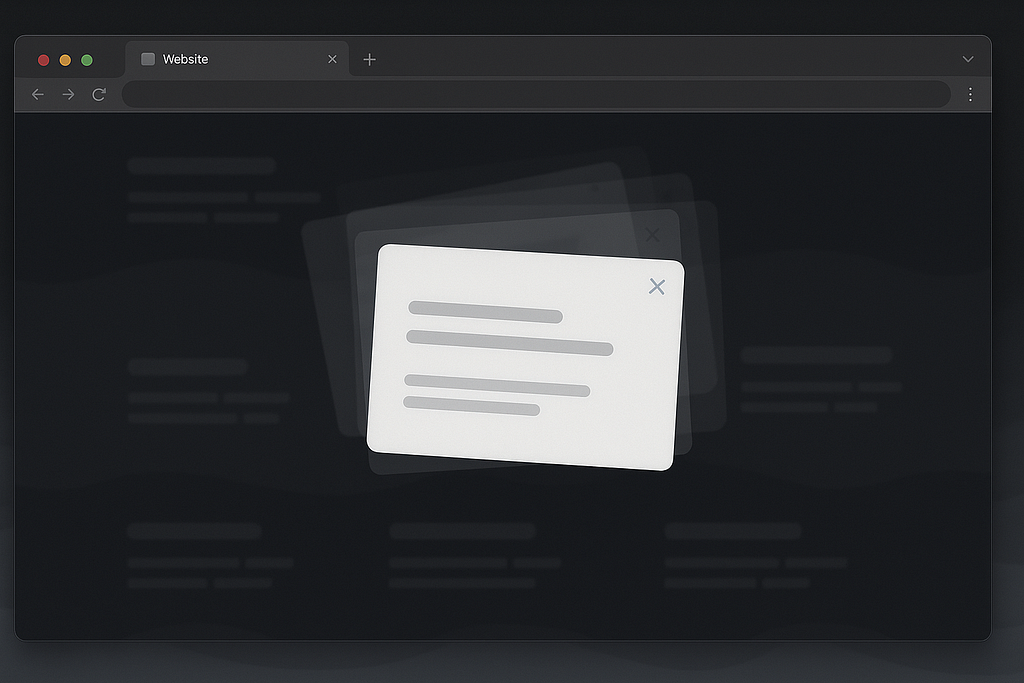
The problem: ScrollSmoother interferes with modal positioning
Here is the situation: I spent hours perfecting a beautiful smooth scrolling website with GSAP's ScrollSmoother. Everything feels buttery smooth, animations are crisp, and then... I needed to add a modal.
What should be a simple centered modal becomes a positioning nightmare:
- Modal jumps around as you scroll
- Centering calculations get completely messed up
- position: fixed elements behave unpredictably
- The modal appears in random positions
- A perfectly smooth site becomes a janky mess
Even if the issue is very specific, I am pretty sure I am not going to be the only that ever faced it and here is my solution.
Why ScrollSmoother Breaks Everything
ScrollSmoother works by creating a virtual scroll environment that transforms the entire page content. While this creates amazing smooth scrolling effects, it also:
- Transforms the coordinate system - Your position: fixed elements are no longer relative to the viewport
- Interferes with centering calculations - CSS transforms stack and compound unexpectedly
- Creates stacking context issues - Z-index behaviors become unpredictable
- Breaks viewport-relative positioning - vh and vw units don't behave as expected
The Traditional "Solutions" That Don't Work
Before discovering the portal solution, I tried everything:
Attempt 1: Disable ScrollSmoother on Modal Open
// ❌ This doesn't work reliably

const openModal = () => {
  ScrollTrigger.killAll();
  document.body.classList.remove("smooth-scroll");
  setModalOpen(true);
};Problem: ScrollSmoother's transforms are already applied to the DOM, and simply disabling it doesn't reset the positioning context.
Attempt 2: Complex Position Calculations
// ❌ Overly complex and fragile

const openModal = () => {
  const scrollY = window.scrollY;
  document.body.style.position = "fixed";
  document.body.style.top = `-${scrollY}px`;
  // ... more hacky positioning code
};Problem: This causes scroll jumping and requires managing scroll position manually. It's a maintenance nightmare.
Attempt 3: Flexbox Centering
// ❌ Still affected by parent transforms

.modal {
  position: fixed;
  top: 0;
  left: 0;
  right: 0;
  bottom: 0;
  display: flex;
  align-items: center;
  justify-content: center;
}Problem: When the parent container has transforms applied by ScrollSmoother, even "viewport-fixed" elements aren't truly viewport-relative.
The Solution: React Portals
The breakthrough came when I realized the real issue: the modal was being rendered inside the ScrollSmoother-transformed container.
React Portals provide an escape hatch - they let you render components outside their normal DOM hierarchy.
Here's how to implement it:
Step 1: Import createPortal
import { createPortal } from "react-dom";Step 2: Set Up Portal Container
const MyComponent = () => {
  const [modalOpen, setModalOpen] = useState(false);
  const [portalContainer, setPortalContainer] = useState(null);
useEffect(() => {
// Set portal target to document.body
setPortalContainer(document.body);
}, []);
// ... rest of component
};
Step 3: Render Modal via Portal
return (
  <div className="my-component">
    {/* Your normal component content */}

    {/* Modal rendered via Portal - completely outside ScrollSmoother */}
    {modalOpen && portalContainer && createPortal(
      <div className="modal-overlay">
        <div className="modal">
          {/* Modal content */}
        </div>
      </div>,
      portalContainer
    )}
  </div>
);
Step 4: Simple CSS Centering (That Actually Works!)
.modal-overlay {
  position: fixed;
  top: 0;
  left: 0;
  width: 100vw;
  height: 100vh;
  background: rgba(0, 0, 0, 0.8);
  z-index: 9999;
}

.modal {
  position: fixed;
  top: 50vh;
  left: 50vw;
  transform: translate(-50%, -50%);
  background: white;
  border-radius: 12px;
  // Perfect centering, every time! 🎉
}
Why This Works Like Magic
When you use createPortal(modalJSX, document.body):
- Escapes the transform context - Modal renders directly to document.body, outside any ScrollSmoother containers. I usually wrap the page component with the Scrollsmoother, and the body is outside of it... perfect :)
- Restores normal positioning - position: fixed behaves relative to the actual viewport again
- Reliable centering - CSS transforms work predictably without interference
- No scroll jumping - Page content remains untouched
- Clean separation - Modal logic is isolated from the main component tree
Real-World Example
Here's a complete implementation from a production project:
const BrandGrid = () => {
  const [modalOpen, setModalOpen] = useState(false);
  const [activeBrand, setActiveBrand] = useState(null);
  const [portalContainer, setPortalContainer] = useState(null);

  useEffect(() => {
    setPortalContainer(document.body);
  }, []);

  const openModal = (brand) => {
    setActiveBrand(brand);
    setModalOpen(true);
    // No need to mess with ScrollSmoother!
  };

  const closeModal = () => {
    setModalOpen(false);
    setActiveBrand(null);
    // No cleanup needed!
  };

  return (
    <div className="brand-grid">
      {brands.map((brand) => (
        <div
          key={brand.id}
          onClick={() => openModal(brand)}
          onMouseEnter={() => openModal(brand)} // Desktop hover
        >
          <img src={brand.logo} alt={brand.name} />
        </div>
      ))}
      {/* The magic portal modal */}
      {modalOpen &&
        activeBrand &&
        portalContainer &&
        createPortal(
          <div className="modal-overlay" onClick={closeModal}>
            <div
              className="modal"
              onMouseLeave={closeModal} // Desktop hover out
            >
              <h3>All {activeBrand.name} Brands</h3>
              <div className="brand-grid">
                {activeBrand.subBrands.map((subBrand) => (
                  <div key={subBrand.id}>
                    <img src={subBrand.logo} alt={subBrand.name} />
                    <span>{subBrand.name}</span>
                  </div>
                ))}
              </div>
            </div>
          </div>,
          portalContainer,
        )}
    </div>
  );
};
The Results
- ✅ Perfect centering - Modal appears exactly in viewport center
- ✅ No scroll jumping - Page stays exactly where user was
- ✅ Smooth interactions - Hover/click works flawlessly
- ✅ Mobile friendly - Responsive without positioning issues
- ✅ Maintainable - Clean, simple code
- ✅ Performance - No complex calculations or DOM manipulation
Beyond ScrollSmoother: Other Use Cases
This portal technique solves modal positioning issues with other libraries too:
- Framer Motion page transitions
- AOS (Animate On Scroll) transforms
- Custom CSS transforms on container elements
- Complex layout containers with overflow settings
Key Takeaways
- Identify the root cause - Modal positioning issues often stem from parent transform contexts
- Think outside the box - Sometimes the solution isn't fixing the CSS, but changing where the element renders
- Use React Portals - They're not just for modals, but for any element that needs to escape its normal DOM hierarchy
- Keep it simple - The best solutions often involve less code, not more
After hours of fighting with complex positioning calculations and hacky workarounds that even chatGPT or Claude.ai wouldn't ever fix for me, I suddenly remembered about React Portals and they provided an elegant solution that just works. Sometimes the best way to solve a problem isn't to fight it head-on, but to step outside the problem space entirely.
Next time you're battling modal positioning issues with ScrollSmoother (or any transform-heavy library), remember: don't fight the transforms, escape them.
Thanks for reading :)
If you liked this article, feel free to connect with me!
Also published on Medium